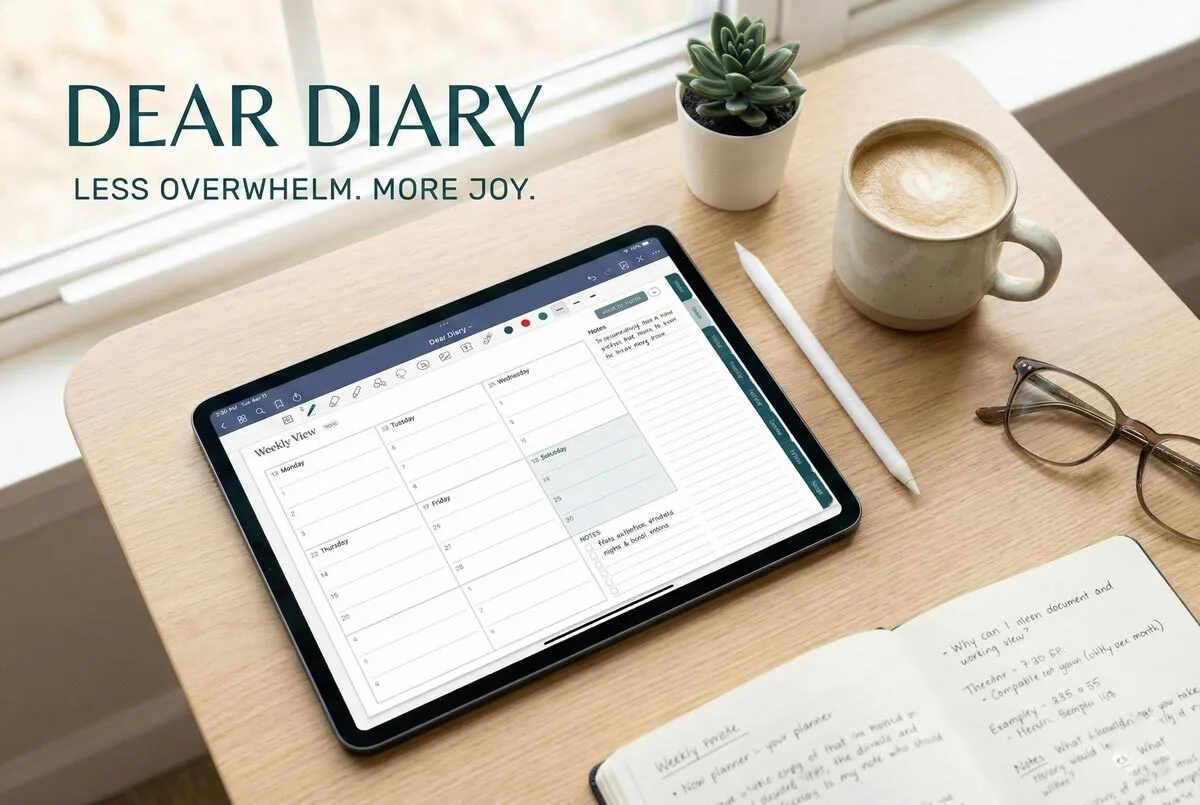
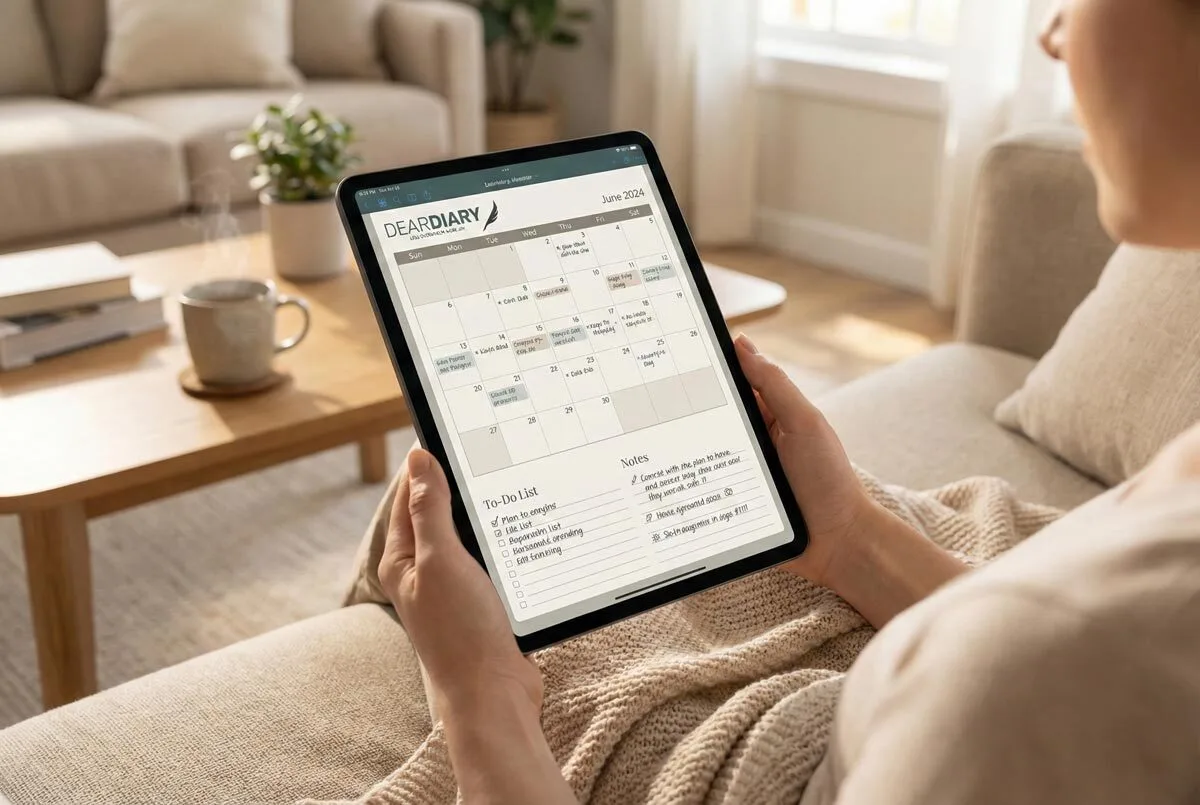
You can start digital planning by downloading compatible apps like GoodNotes, Notability, or Xodo on your tablet or phone—these support interactive PDFs that make planning actually functional. Grab free templates to test different layouts without commitment, since you’ll want to find what clicks with your workflow. A quality stylus dramatically improves the handwriting experience, though it’s not essential for beginners. Most apps offer zoom functionality and drag-and-drop editing, plus cloud syncing keeps everything accessible across devices for seamless organisation that’ll change how you approach daily planning.
Why struggle with paper planners that you can’t edit, lose, or forget at home when your tablet or phone already holds the perfect digital planning solution?
Your device transforms into a powerful organisation hub with the right apps and approach. You’ll need a compatible note-taking app to start your digital planning journey.
Goodnotes, Notability, Xodo, and Penly support PDF planners on iPad and Android devices. These apps handle interactive PDFs with hyperlinked layouts, letting you jump between calendar views and note pages instantly.
OneNote offers cross-platform compatibility but requires importing external digital templates since it doesn’t include pre-designed planners.
Download free templates first to test different layouts. HappyDownloads provides sample planners so you can experiment with daily, weekly, and monthly formats before committing to premium versions. You’ll discover whether you prefer dated planners for structured scheduling or undated versions that work continuously across years.
Choose between over 50 pre-designed layouts customised for specific needs.
Students benefit from academic planners with assignment tracking, whilst teachers get specialised templates for lesson planning. South African classroom solutions provide culturally relevant features that address local curriculum requirements and administrative needs. The double-page layout offers comprehensive weekly views with space for meetings, class plans, and personal notes. Homeschool bundles include curriculum tracking and progress monitoring. This targeted approach beats generic planners that force you into someone else’s system.
A quality stylus dramatically improves your experience. Apple Pencil works seamlessly with iPads, Samsung S Pen integrates with Galaxy tablets, and other smart pens fine-tune touch sensitivity for precise handwriting.
Apps like Goodnotes include zoom functionality, so you can write detailed notes without space constraints. Drag-and-drop editing lets you move tasks between days without rewriting everything. The lag-free experience ensures smooth navigation when tapping on hyperlinked elements throughout your digital planner.
Project management tools expand beyond traditional planning apps.
Trello offers board-based planning with customisable workflows and Butler automation features. Google Calendar and Microsoft Outlook sync schedules across all devices, ensuring you never miss appointments whether you’re using your phone or tablet. TickTick provides a feature-rich alternative with calendar integration, habit tracking, and Pomodoro timers built directly into its user-friendly interface. The 581 pages of content in comprehensive digital planners offer extensive organisation features for mastering various aspects of busy lives.
Digital stickers and embellishments elevate visual appeal without creating clutter.
Penly enables batch imports of multiple sticker files, whilst HappyDownloads provides themed libraries for motivational or seasonal planning. These elements make planning enjoyable rather than tedious. Personalised covers allow you to create a completely customised experience that reflects your style and preferences.
Cloud syncing keeps your planners accessible everywhere. Start planning on your tablet at home, then check tasks on your phone during lunch breaks.
This seamless integration eliminates the frustration of forgetting your paper planner when you need it most. Digital planners work across all phases of education and career development, making them versatile tools for long-term professional growth. Many digital planners serve as an all-in-one solution designed for organised living across multiple life areas.
YouTube tutorials demonstrate advanced features like creating hyperlinks and importing custom sticker collections. Community forums share troubleshooting tips and template recommendations from experienced users.
You’ll excel at digital planning faster with these learning resources.
Test undated planners for extended trial periods since they don’t expire. Penly includes basic planners for immediate use, letting you start organising today. Begin with simple daily layouts, then graduate to complex weekly spreads as your skills develop. The initial three-day adjustment period helps you adapt to digital planning features and navigation.
Digital planning becomes intuitive once you experience its flexibility and convenience.
Frequently Asked Questions
Can I Sync My Digital Planner Across Multiple Devices?
Yes, you can synchronise your digital planner across multiple devices using OneDrive with OneNote planners or cloud-based apps like Artful Agenda, ensuring real-time updates and seamless access everywhere.
What Happens to My Plans if I Lose My Tablet?
If you’re using cloud-based apps like OneNote or Trello, you’ll recover your plans by logging into your account on another device. However, locally-stored apps like GoodNotes require manual backups to prevent permanent loss.
Do I Need Internet Connection to Use Digital Planning Apps?
You don’t always need internet for digital planning apps. Most work offline for basic tasks like adding events or notes, then sync when you’re reconnected to update across devices.
Can I Print Pages From My Digital Planner?
You can print pages from your digital planner using PDF format. Enable borderless printing for best results, use quality paper, and test colour accuracy first. This combines digital convenience with physical benefits.
How Much Storage Space Do Digital Planning Apps Require?
Digital planning apps typically require 50MB-500MB of storage space, depending on features and file formats. You’ll need more space for complex graphics and local storage, but cloud-based options reduce device storage requirements considerably.